
Owner guide
How to list and update your PG
Listing on MyPG World is free — submit once for verification, then keep beds and details up to date from your account
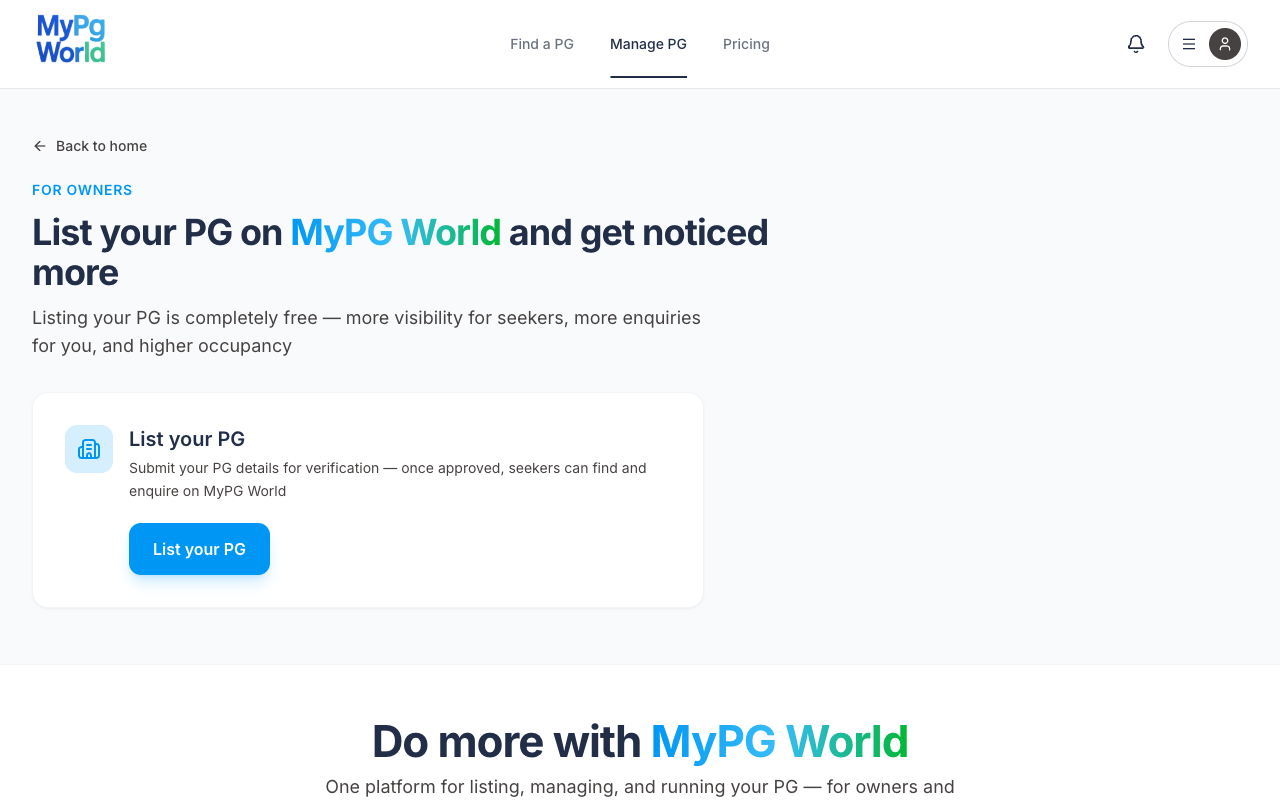
List your PG
1Open List your PG
Go to Manage PG and tap List your PG — you can also start from Account → List PG, or from the footer
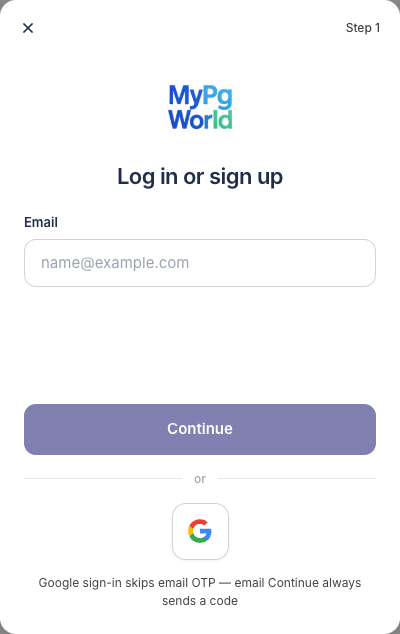
2Log in or sign up
If you are new, enter your email and continue — or use Google — then confirm the email code, accept the Terms of Service and Privacy Policy, then add your first name and 10-digit phone
3Verify Aadhaar with DigiLocker
Owners must verify Aadhaar once before the listing form opens — choose Verify with DigiLocker
You can tap Skip — verify later during sign-up — you will land on Manage PG, but listing stays locked until Aadhaar is done
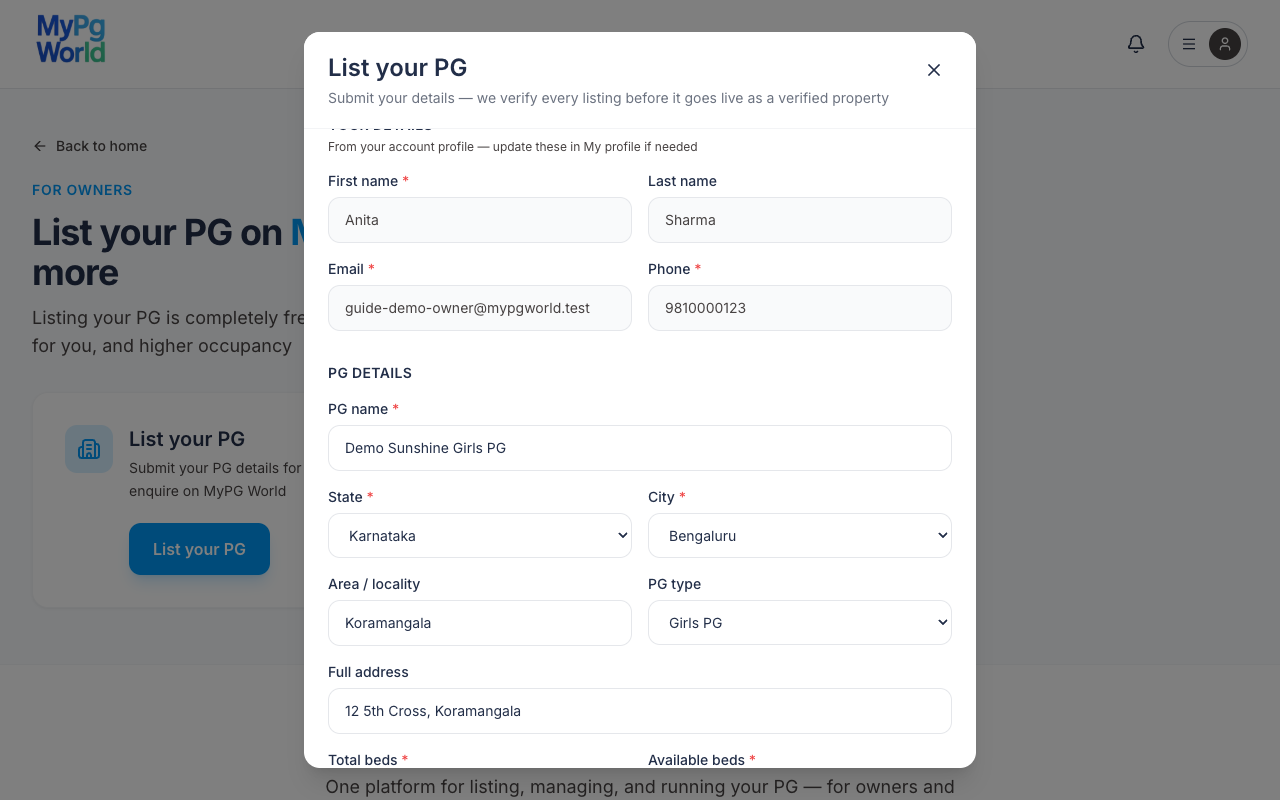
4Fill PG details
Your name, email, and phone are copied from My profile and cannot be edited in this form
Required:
- PG name
- State and city
- Total beds (at least 1) and available beds
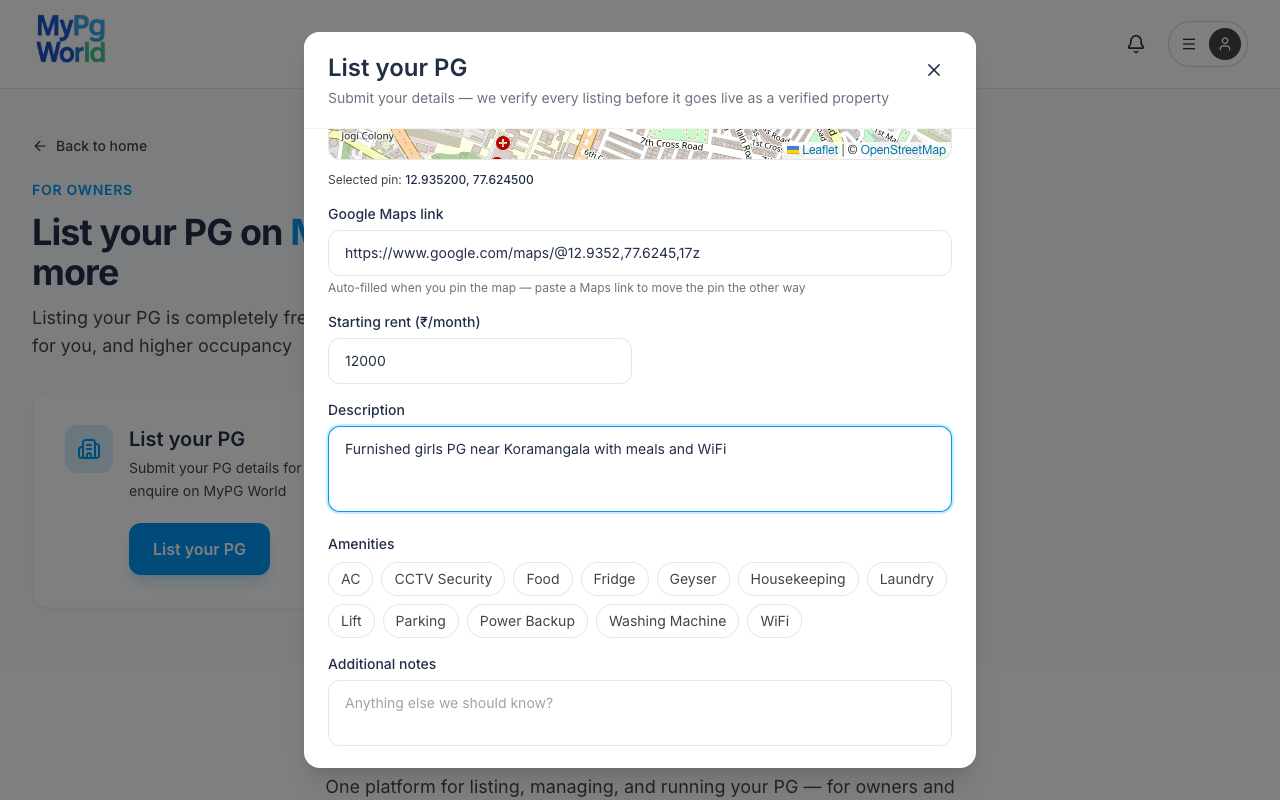
- PG location on the map (drop a pin or paste a Google Maps link)
Recommended — photos (up to 3, JPG / PNG / WebP, 5 MB each), PG type, full address, starting rent, description, and amenities — if you skip photos, seekers see the default listing image
5Confirm compliance and submit
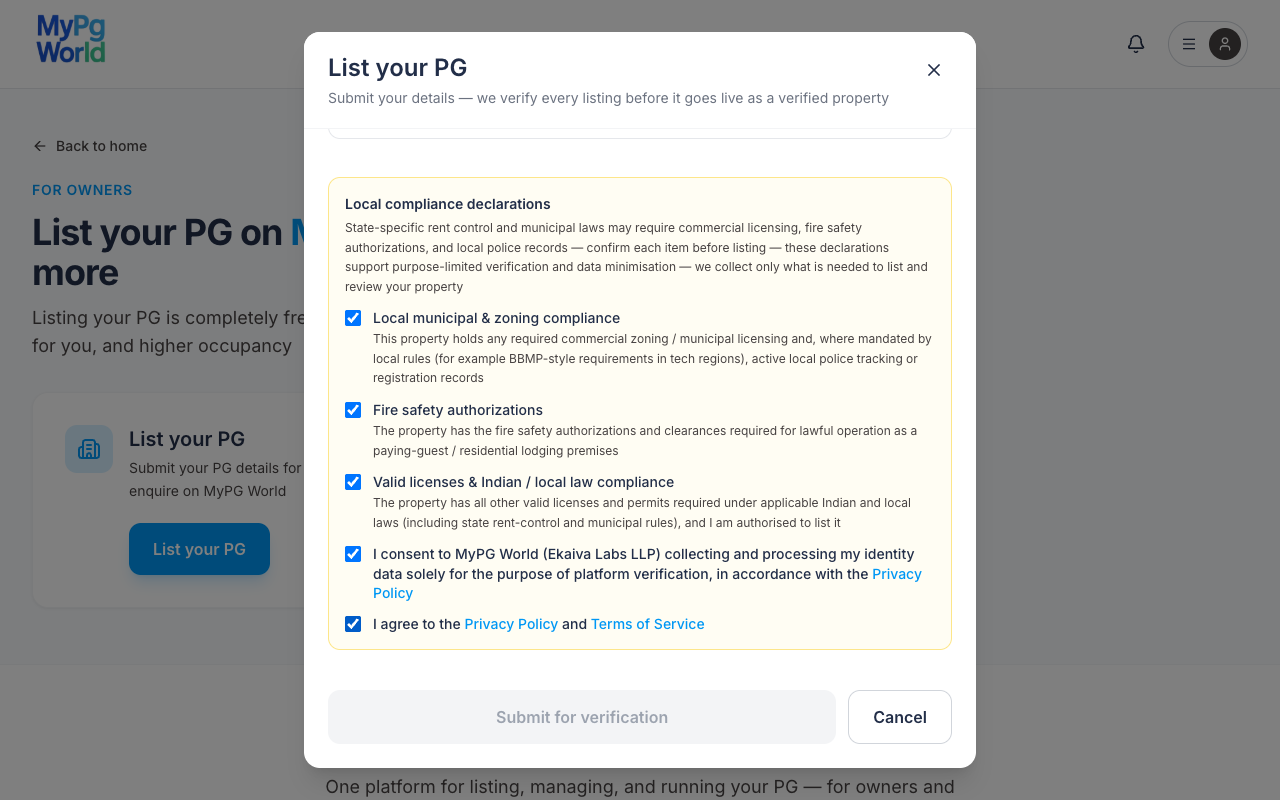
Tick every item under Local compliance declarations — including consent to process identity data and agreement to Privacy Policy and Terms — then tap Submit for verification
Success message — Request submitted — we will verify your details before listing your PG
After you submit
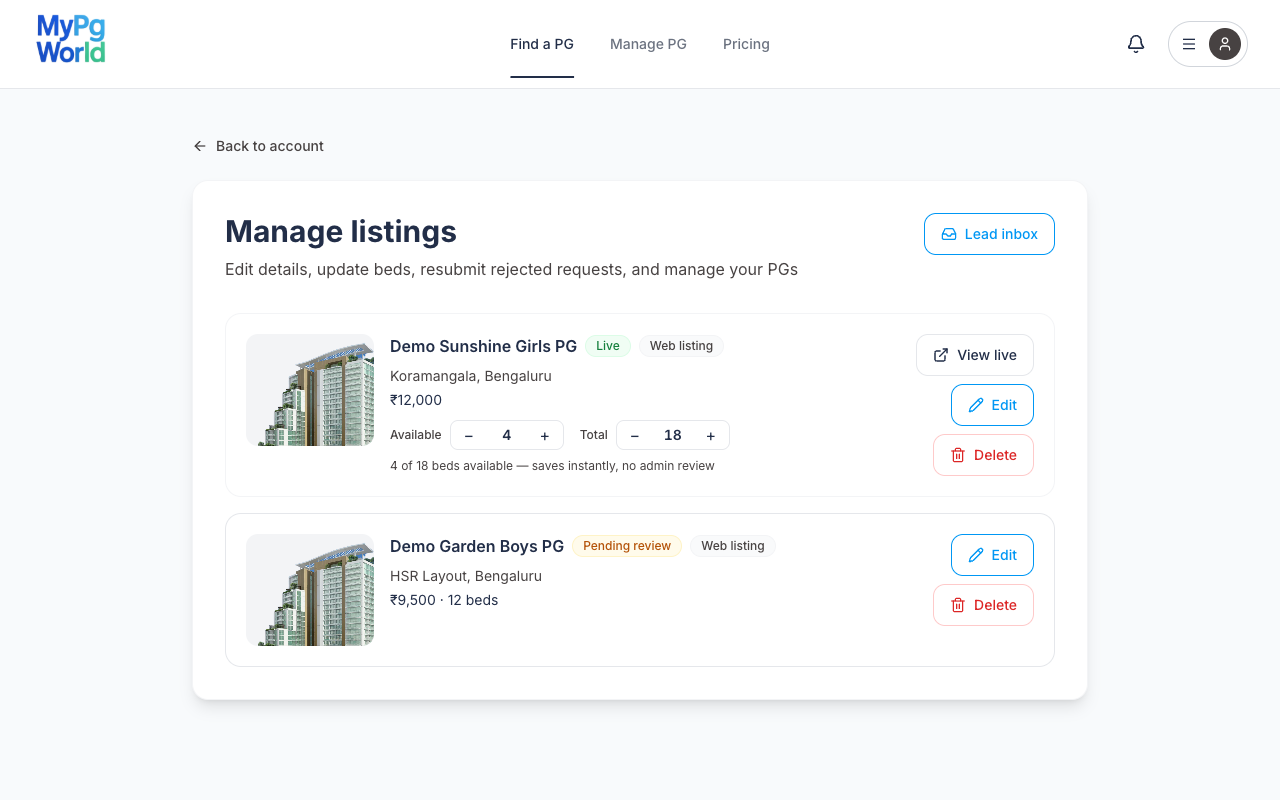
Track status anytime from Manage listings (Account menu → Manage listings)
- Pending review — our team checks your details before the PG appears in search
- Live — approved and verified — seekers can find the PG and send enquiries
- Rejected — open Edit & resubmit, fix the reason shown, and send it for review again
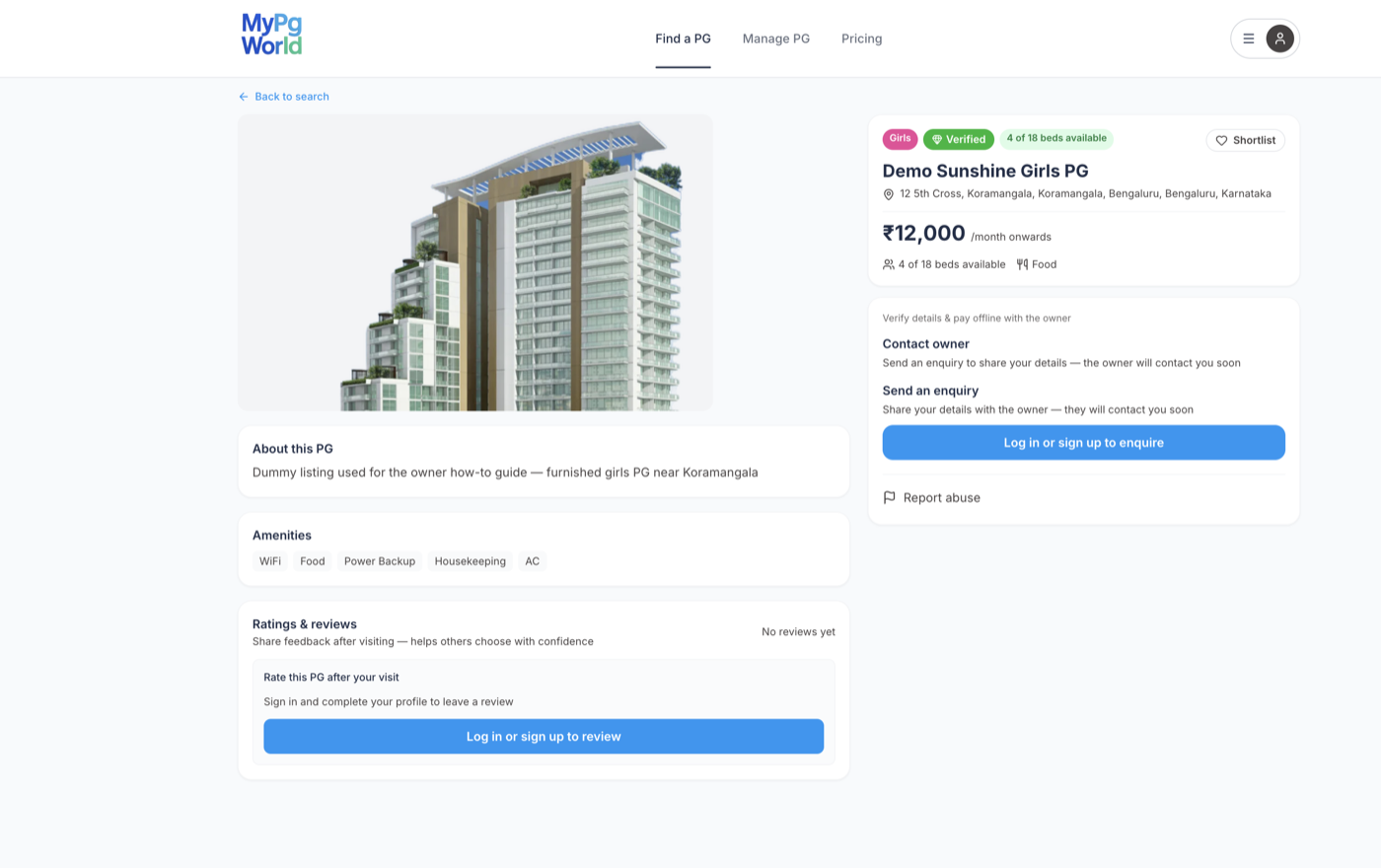
Enquiries arrive in Lead inbox
Edit and update listings
Open Manage listings after you log in as the owner
Update beds instantly
On a Live web listing, use the Available and Total steppers on the card — changes save immediately and do not need admin review
Edit details and photos
Tap Edit to change name, address, map pin, rent, amenities, photos, or description — then Save changes
Beds in this form stay locked for Live PGs — change them with the steppers on Manage listings instead
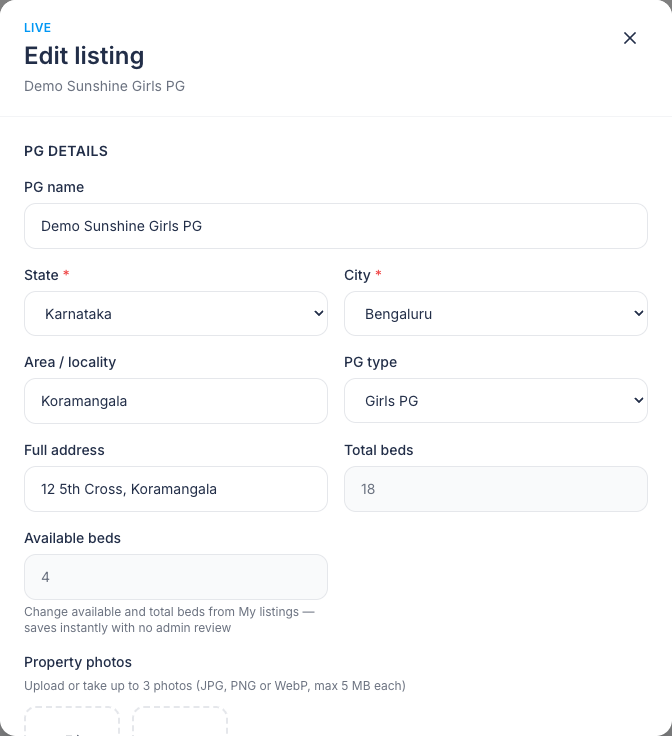
After a material edit (name, address, map, rent, photos, contact, and similar), the listing stays Live but the Verified badge is removed until our team re-checks — it can drop out of public search until then
View, resubmit, or delete
- View live — opens the public PG page
- Edit & resubmit — for rejected requests after you fix the issues
- Delete — removes a live listing from search, or deletes a pending / rejected request
Need help?
Listing and standard tools are free — see Pricing
For day-to-day operations (tenants, rent, staff), use the MyPG World app from Manage PG
Email support@mypgworld.com if something looks wrong with a listing or verification